
How to Find People on Twitter

How to find people on Twitter.
This month, I am experimenting with video. I thought it would be fun to do videos on various topics related to your business — from saving money, to being more productive, to using common tools.

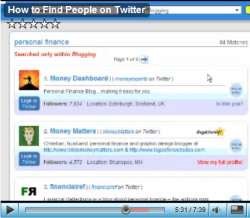
This video is about using Twellow, the “Twitter yellow pages”, to find people who share your interests on Twitter. I use Twellow to find the thought leaders in a niche. You can drill down very specifically; for instance, finding only personal finance bloggers.

If you have a specific target market, Twellow is incredibly useful for finding people in that niche, as well.

I had never heard of Twellow, despite being on Twitter for nearly three years, and that’s why I decided to shoot this video. I have no personal relationship with Twellow.

How to Find People on Twitter (7 minutes)
Highlights:

[2:20] Using Twellow’s primary categories. There are over 47,000 people listed under “Blogging” — wow!
[2:30] Search results are ranked in order of the number of followers a person has. Pete Cashmore of Mashable takes top honors in the “Blogging” category, with over 1.1 million followers.
[4:00] This is where the power of Twellow shines — the ability to search within a category. A search for “personal finance” within the Blogging category finds just 84 people.
[4:30] Once you drill down and find people with fewer followers, it’s more likely you will be able to personally interact with those people.
[4:40] If you do a search that only returns a few people, click on all of their profiles on Twitter and follow most of them.
[5:20] Why you should follow bloggers in your industry even if you’re not a blogger yourself.
[6:05] Twellow shows matching category listings when you search for a specific term, as well. This is the most valuable part of Twellow if you are running a business — you can connect with everyone in your demographic as well as everyone in a target market for your business. Example: CFOs.
[6:55] I currently have over 13,000 followers on Twitter. How did I get so many followers? I give a quick tip.

Requesting Your Feedback!

I’m looking for feedback on this type of blog post. Would you like to see more videos from me? Is there a question you would like me to answer? Would you like to see more videos on how to use Twitter and social media, or videos on other topics?

My plan is to post these videos as blog posts in addition to my regular weekly posts. I thought posting them on Saturdays might be a good way to start. I’m also open to feedback on that.

Please leave a comment with what you thought of this video, as well as what you’d like to see from me in the future regarding video blog posts!

Recommended Reading:

Email This Post Email This Post   | Print This Post Print This Post


Previous post in this category:

Posted on Saturday, August 8th, 2009

  • http://www.magicmegamoneymakers.com Jody

    Glad you asked for this feedback on videos. You ARE referring to those interior monologue,”You know, uh” things, aren’t you? I can’t say enough bad things about those amateur performances. Leave them on You Tube where they belong! End of rant–for now.

    As for this one, as I suspected before you started, you did a first class job, and your highlights was an excellent idea. One reason I don’t like videos is because I can’t remember all that I see and hear, and it’s harder to go back and re-listen than it is to re-read.

    Furthermore, I think most people who are doing the poor ones are taking the easy way out, thinking they can simply ad lib instead of constructing content with the same care that you use to write an article. Most don’t even get the technical stuff right, e.g., volume is frequently up and down.

    Probably the most unforgivable thing is that most of them waste your time. Often they deliver little information at all, but they will take five minutes to say what should have been said in one.

    I sincerely hope that most of those who have jumped on the bandwagon will soon jump off.

    I do hope that you won’t go heavily down that path, even though you are good at it, but I bow to the majority who respond, as I am sure you, wisely, will, too.

  • Nancy

    Great information, Erica! Thanks so much for doing this. I like the video format, because when you can “show” and “tell” at the same time, the lesson is much easier to absorb.

  • http://www.thedebthawk.com TheDebtHawk.com

    Hi Erica,

    I thought that your readers might like to find other personal finance bloggers on twitter. Here is a link to my Top 100 Personal Finance Bloggers on Twitter list.

    http://www.thedebthawk.com/Twitter100.php

    And, since you are number one on the list, I thought that you wouldn’t mind to self promotion. :)

  • Martin

    Thanks for sharing! Your voice is great! Do you have a podcast? :) I could be listening to it whole day!

    My notes: Either buy a pop-killer, because the P’s and S’s are really tearing my ears off OR a cheaper way: Don’t speak directly TO the mic – try speaking so that the sound travels in front of the mic – your voice will be picked and the S’s and P’s won’t be there ;) If you’d like more tips, drop me an e-mail.

    Cheers and keep up the perfect work!

  • http://www.heidiwalter.com Heidi Walter

    Hi Erica,

    I don’t know whether it’s Firefox today or something else, but I can’t get your video to work. I click on the arrow but nothing happens. I shall keep trying.

    Heidi

  • http://carlincomm.com Carlin Comm

    Erica!
    Yes please keep doing the videos!
    We all learn in different ways, and I think you really hit on a great balance here. By doing both the video AND the written words on your blog, you got most of the bases covered. I had read the post before watching the video, so had a good idea what to look for. Nice!

    Oh, quick thought… did you record the screen with a camcorder? Most of the time the text was barely readable. I was able to follow what you were doing ok, no worries there, but if you are planning to do more video, might look at a screen capture program like Camtasia. Its not cheap (I don’t have it yet myself!) but they do really nice job! There are also free or cheaper programs that do the same thing, and most have free downloads. Plan B… I’m getting better results with a HD camcorder recording the screen, so depends on what you have available right?

    Keep doing the videos :)
    Thanks
    Carlin
    @carlincomm

  • http://www.skipease.com Skipease People Finder

    Erica,

    Great tips for finding people on Twitter.

    I include many of these and over a hundred others in a People Search and Web Search Toolbar for the Firefox web browswer that was approved by Mozilla for public download last week. You can view it on their site at:

    https://addons.mozilla.org/en-US/firefox/addon/13308

  • http://livinginahumansuit.com Scott Brandon Hoffman

    Hey Erika,

    I think you should absolutely keep doing videos, you do have a voice that is very natural for it, and it sounded great.

    I think videos always bring a site to life, and that is a good thing.

    I’ve been using Twellow for a while too, and you gave me a few new tips today as well.

    Keep up the awesome work, and I look forward to more as well as connecting with you!

    Take care,
    Scott

    @TheEntertainer

  • greenfiber

    Hi Erica,

    I like your video. It is a very effective way to learn new things. Your highlights in the blog helps your viewers absorb your video more easily. Keep your videos coming!

    Thanks.

  • http://themoneycult.com Jared | The Money Cult

    Very nice video do more. I think is it always useful to see how others use tools. I also completely agree that following bloggers in your target market is a good thing and you really can connect with peers via twitter using the method above. Great Advice!

  • http://www.eddiemonge.com Eddie Monge

    I would agree with those above about the quality of the audio and video. Try using Camtasia (it has a free 1 month trial so you can take it for a test run) or use http://www.screentoaster.com/ as it is free and there is nothing to install. Its still got a bit of ways to go to be fully polished but it is great for simple screencasts like this. And it uploads directly to youtube or host it on their site.

    I love video posts because it feels more connected so yes please keep using this.

  • http://millionairemommynextdoor.com Millionaire Mommy Next Door (Jen)

    Excellent job, Erica. Do tell me — did you use a script, an outline, or ad lib? My asking of this question is proof positive that you did an outstanding job with your presentation!

    Now, off to check out Twellow… Thanks for the resource and tips!

  • http://www.carriewriterblog.com/ carrie

    Great video and very helpful. I had discovered Twellow a few months ago but didn’t use it much, and also didn’t like the constant email updates regarding new sign ups – maybe there was a way to disable this feature?
    Thought your sound quality was good, visuals could have had more movement and were too static, add more navigation to spice it up. I am going to try Screentoaster soon, have you tried it? Just curious what program you used for this and whether you used a script.

  • http://www.erica.biz/ ericabiz

    Hi all — thank you for the feedback! It’s very gratifying to hear that this worked for most of you. I will definitely be doing more videos in the future.

    I used Camtasia to shoot this video, but Youtube doesn’t allow very high-quality stuff. I shot it in a 640×480 window, but Youtube only allows 320×240. So it looks kind of grainy.

    I played around with Twellow for a while and then decided to shoot this video. It was ad lib, pretty much going through the features exactly as I had discovered them not long before I shot the video. The great thing about screen capture videos is that you can pause, delete what you’ve said, etc. without ruining the picture or having your viewers know that you’ve stopped. I paused and thought several times or “rewound” my last few words in my head and spoke again…then edited it out later.

    Hope this helps! I’ll keep the videos coming.

    -Erica

  • http://www.PirateLifestyle.com Captain-Rob

    Ahoy Erica,

    I agree, video is the future. It is now expected. Yes, we all must take the good with the bad…

    I do have a question/comment about your above statement – “I shot it in a 640×480 window, but Youtube only allows 320×240.”

    I don’t understand? YouTube has been 640X480 (4:3) SD, for a LONG time!
    And recently YouTube has added 1280X720 (16:9) HD.

    So I don’t follow why you had to upload a 320X240 video?

    Keep it up and keep the videos coming!!!!!

    Rob

  • http://www.PaulNorwine.com Paul Norwine

    Hi Erica,

    Very informative. I am new to twitter so it’s no surprise to me that I hadn’t heard of “Twellow” but now I have and it’s very helpful :)

    As far as the videos go, I agree with everyone else that they are a great addition to your blog.

    Keep the great posts coming!

    Paul

  • http://www.creative-wealthbuilding.com/laws-of-the-universe.html Nick Pfennigwerth

    This is a great post and I was unaware of Twello. I do want to add on and share how I and many others automate the whole process.

    The first place to go is twollo.com. Twollo is similar to Twello, where you can find people in your niche, but with Twollo you can automate the whole process where they automatically follow twitter users that match the keywords you enter. So, everyday Twollo automatically follows twitter users that are in your niche.

    Next, go to http://www.dossy.org/twitter/karma/ called twitter karma. At that site, you can bulk unfollow people who don’t follow you back. I visit there every two days and it takes me 2 mins to bulk unfollow the people who don’t follow me back.

    Next, go to tweetlater.com. At this site you can do a number of things.

    1. Automatically send a welcome message to new followers.

    2. You can check: Automatically follow people (new followers) who follow you from this point forward. (do this or twitter users will unfollow you)

    3. You can check: automatically unfollow those folks who
    unfollow you. (I prefer to still use twitter karma because this options takes forever.)

    4. You can draft up a bunch of tweets and schedule them to automatically go out or use for later.

    Finally, if you have a blog I use twitterfeed.com There you can automatically feed all of your blog post as an update in twitter. So, every time you post something on your blog twitter feed will read that and post the title of the blog along with it’s link. For example, if Erica uses twitter feed, when she published this blog her twitter account would display: “How to find People on Twitter” then the link in a tiny url.

    There you have it, finding followers and building your following is now automated. This frees you up to build relationships with your following. When I did the whole automating process I went from a following of 30 people to 500 people in two months. So, it definitely works.

    Erica, thanks for the helpful blog–I really enjoy this website!

    Follow me on twitter: http://twitter.com/npfennigwerth it’s guaranteed that I’ll follow you back :)

  • http://DailyDivaDish.com Piper

    Hi Erica,
    Thanks so much for doing this video for us. It seems there are always so many new things to discover about Twitter.

    I have a fashion/beauty blog and am always looking on Twitter for those with that common interest. After your quick video yesterday–I found some great new people

    Thanks!

  • http://www.therisetothetop.com Team The Rise To The Top

    I have enjoyed pairing the video with the other information, so often I find that people only post the video which leaves me with several questions. Also great tips on finding people on twitter, it can be daunting at first but expanding your network is only beneficial to you in the end, so spend sometime implementing these tips and growing your network!

  • Anand

    Thanks for the great video! I didn’t know about Twellow. It’s an extremely useful tool.

  • http://www.myeliteshopping.com Health Coach Denise

    P.S. Feel free to follow me on Twitter at http://www.twitter.com/healththatpays

  • http://www.recruitingmaven.com/blog Tammy

    Hi Erica,

    I just started reading your blog and requested a copy of your blog manifesto. Thank you so much for sharing your knowledge and experience. I’m already using a few of the tips and tools you’ve shared in your Manifesto and I’m already seeing results.

  • http://www.medicaldentalfs.com Ray Prince

    Hi Erica

    Great video – ultimately people have their own preference of how they want to consume information so I think the key is to test different modalities and see which the majority prefer.

    Re the video quality, you could look at embedding the video in-line, rather than uploading the finished camtasia file to youtube. OK, you won’t get the tracking stats that YT offers, but I’m sure there’s players that will do this (or you can track through Analytics/similar). I think you need Camtasia ver6 for this.

    Here’s some info I found on this when I was looking a few months ago:

    http://www.webreference.com/video/column11/2.html

    Cheers!

    Ray

  • http://www.cbhtherapist.co.uk Carolynn

    Excellent and easy to follow for a complete beginner – following you carefully…. keep at it!

    Thank you.

  • http://olgadegtyareva.com/ Olga Degtyareva

    Thanks a lot for this Erica, I loved the format of the blog post and the content of the video. Great info. Went and applied it immediately finding some cool people and blogs to follow! Olga

  • http://iunfollow.com Brad

    Hi Erica, this is a great guide. I like how you include the video. Keep up the great work.

  • Clare Norman

    Hi Erica. I just tried to follow your instructions, but it looks like twellow has been updated – I couldn’t figures out how to get to the specific niche of bloggers. That whittling down filter doesn’t seem to be available anymore. (unless it’s user-error, but then I tend to think that if it’s not intuitive in the site, that’s not the best user interface). I tell you in case you decide to update your video post here.