How to make a mind map. Do you ever feel completely overwhelmed by some of the projects you are working on…like you’ve set an impossible goal?
I felt that way when I first started writing my Blog Success Manifesto. I started with a blank document and quickly got lost. I had so many ideas, and it just seemed impossible that I could address all of them. The document gathered dust on my hard drive for a few months…until I figured out how to make a mind map.
I brainstormed out at least 20 topics I wanted to talk about, then realized I could sort them into five sections. Once I did that, I easily completed the entire 10,000-word ebook in just a few weeks!
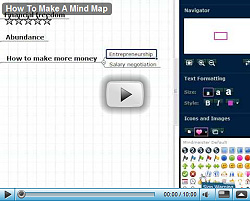
This, too, may seem like a pipe dream to you…so I created a video to walk you through the process of making a mind map. In it, I show you how to map out a project to break it down into manageable pieces, so you can finally finish whatever that big project is that’s been languishing in your head for months or years. I also show you the exact mind map I used to create my Blog Success Manifesto:
Highlights
[0:10] I start off by answering the obvious question: Why should you care about making a mind map?
[0:45] I use a free tool called MindMeister (link opens in new window) to create my mindmaps. Why do I use it instead of other tools?
[2:00] The first thing that you see when you create your mind map…
[2:25] There are a ton of keyboard shortcuts in MindMeister. I show you the two that will save you a lot of time.
[4:12] How MindMeister helps you override your perfectionist instinct.
[4:40] How to easily create a layout for an entire book or product just by dragging and dropping.
[5:29] My favorite part of MindMeister!
[6:20] I wasn’t able to finish my ebook until I mind mapped the entire thing.
[7:15] The exact mind map I used to fly through and finish an over-10,000-word ebook in just a few weeks.
[8:20] After my mind map was done, I set a simple goal…
[9:20] This should help you get your next project done much more quickly!
How Making A Mind Map Can Help You
Think about a project you would really like to start. Maybe it’s a book, an ebook, or a new product. Maybe it’s a conference you would like to run (I used a mind map to run a conference in 2008!) Any big project you undertake should have a mind map as its basis.
Mind maps help you understand the scope of your project, break it down into manageable chunks, and complete it faster. They reduce overwhelm and help you overcome your perfectionist instinct.
But quite possibly the best part is that great feeling you get when every piece of your mind map has a little checkbox next to it, and you suddenly realize…you’re done! For a project that may have seemed impossible just a few weeks ago, that’s quite a feat!
MindMeister FAQ
Your free MindMeister account won’t expire, and you can have up to 3 mind maps. If you want more features, like unlimited mind maps, the ability to use MindMeister offline, or to search your mind maps, the Premium version is $49/year.
Check out MindMeister for free right now.
(Note: I recommend starting out with the free version and upgrading as you see fit. The link above makes me money if you choose to upgrade to the Premium version. )
Recommended Reading:
- Creating a New Product. The first post in this series; discusses market research.
- How to Start A Business with No Money. It doesn’t take a lot of money to start a business…
- How to Get More Profitable Clients. A quick brainstorming method I dreamed up (literally!) to help you make your business more profitable.

Like this entry? You will love getting my free business tips! No spam, and I won't give your email address to any other company.


28. October 2009 at 10:53 am
Hi Erica,
Thank you for putting this together! I have been trying to learn about mind mapping. This is solid introduction.
28. October 2009 at 12:39 pm
I’m going to implement this in my life. I have always had a lot of ideas rolling around at once, but have never been able to organize them. I usually get so over whelmed with ideas that I can never decide where to begin. This was an excellent post. Keep it up Erica!
28. October 2009 at 1:52 pm
Thank you so much for this wonderful introduction. I have tried outlining on white boards or paper but the structure restricted my flow and I would lose ideas and usually give up after a little while. This interface is very conducive to my free flowing thoughts and I have already outlined a book and a plan for work.
Thanks a bunch!
CA
28. October 2009 at 2:42 pm
I’m a big fan of MindMeister too! The interface is intuitive and easy, being able to collaborate online is great and you can print out, in outline form, your map. Sweet!
28. October 2009 at 7:11 pm
Loved this, Erica.
Mind Maps are crucial. I’ve been known to stick with pen and paper, but having an easy-to-use web based ap? Yep. I’m there.
Oh, and killer presentation, too! Far too often these How-to Vlogs get drowning, but your sweet, energy-filled tone kept me engaged through the ten minute mark!
28. October 2009 at 9:35 pm
I haven’t used it in a while but MindMeister is very cool. BTW this is my first time stopping by your blog as I just read your guest post over on Ramit’s blog and just wanted to say great job! – Joel Ohman
29. October 2009 at 9:27 am
Excellent write up. Very nice job with the video on the free MindMap and Mindmeister websites. This is pretty cool.
Glad that I have found this. Congrats on convincing me to give it a shot!
Jay’s Saving Your Money
29. October 2009 at 11:08 am
Very nice, I’ve heard of mind mapping before but never invested any time into it. I will now thanks to your presentation. Thank you
29. October 2009 at 11:54 am
You may want to check out FreeMind (http://freemind.sourceforge.net/wiki/index.php/Main_Page). It’s also free, installs on Windows, Mac, and Linux. The advantage is that FreeMind is unlimited in the number of maps you can create.
FWIW
John Elrick
30. October 2009 at 12:14 am
@John, I use FreeMind and it’s a great tool. Erica introduced me to MindMeister a while back and I’ve been messing around with it since then. One of the benefits of MindMeister is that you can create a map online and have multiple people collaborate on it. They also have an API if you wanted to integrate your mind map into another site.
One last cool thing is that you can export your mind map into a FreeMind format if you have a premium version.
31. October 2009 at 12:17 am
I found MindMeister a few months back and definitely agree that there’s nothing better than a structured brain dump to really flesh (or flush I always mix these up) out an idea.
Thanks for sharing this very helpful process to your readers. And MindMeister’s user interface is a dream. You can really sketch out an idea so quickly without the interface blocking flow, it’s scary. Not as scary as deciding on what to do now that you’ve sketched it out (pursue it or trash it), but you get the idea.
Thanks again, and here’s to all the wonderful ideas this tool will help you and your readers explore. And if Ramit lets me, I might be able to share the original mind map I did when planning the upcoming boot camp.
31. October 2009 at 6:33 am
Erica,
Hi, we met briefly at a seminar a few weeks ago. I’ve tried mind mapping software in the past, but the programs I used were downloadable rather than online. I much prefer having all my “working info” online so that I can work wherever I may be. I think this will definitely help me to organize my website, and I’ve been contemplating an e-book. This may be just the tool I need to get it going. Thanks Erica!
31. October 2009 at 7:20 am
Great idea Erica! I’ve used mind maps and love them, but I haven’t created them with software. Thanks for sharing.
31. October 2009 at 7:32 am
On my iPhone, I use the free application “SimpleMindX.” I don’t generally use mind maps on the computer, but if needed, I use a product designed for school children: “Inspiration.” I will try making a mind map today to help me figure the direction of my new venture. Thanks for the valuable post.
31. October 2009 at 9:01 am
Erica,
Thanks for showing this. It is really helpful and a great tool to use to get all the things I have down in my brain onto something. Usually I just have lots of paper but this mind map is a more organized way to capture those thoughts. Thanks for always showing or letting us know about something of value!
31. October 2009 at 1:16 pm
Erica -
I have been using the old school method of legal pad and pen – which incidentally results in a difficult to read, unorganized mess that eventually ends up taped to my ‘project’ wall.
This tool will definitely streamline things a bit.
Thank you.
1. November 2009 at 5:04 am
Great tutorial video erica. Best thing about using a mindmap on your laptop versus the white board I use? Your girlfriend can’t scribble your house chores or her xmas wishlist on your mindmap on your laptop!
3. November 2009 at 5:09 pm
I’m a mind map fan as well, although FreeMind is my mindmap modus operandi.
At first this started to sound to me like a nice ad for Mind Meister, which perhaps it is, but it’s solid advice. In my opinion, one of the best things about mindmaps is how well they can help you bust up a big project into manageable chunks like Erica said.
Mindmaps kinda rule, and I think if they didn’t have such a nerdy name, more peeps would use them. Let’s keep them our little secret!
15. November 2009 at 8:13 am
Finally someone able to explain this to me the easy way. Thank you, Erica!
4. December 2009 at 2:28 pm
I think I’ll give this a try after watching your video. I’ve been struggling with multistage projects lately, so I’ll take your advice and use MindMeister to break them down into weekly goals.
Might help me keep chipping away at them instead of getting frustrated.
6. December 2009 at 2:08 am
I’m trying out mindmeister too, on your recommendation.
4. June 2010 at 3:44 am
I’m totally addicted to Mind Mapping. It’s a great way to have a customized oragnzition layout of *anything.* My new online business activities could have easily gotten out of control without it. I use it for the details as well as the strategy. For example, each time I sign up for a new account, I add it to my “Tool” map with notes/links/etc.
5. June 2010 at 7:19 am
Hi Erica
This will save my spread of papers around my work areas!!! And I also loved your simple, yet effective use of demonstrating its use with a real example. Thank you.