
Internet Fax Review: How to Save Hundreds of Dollars on Your Fax Service
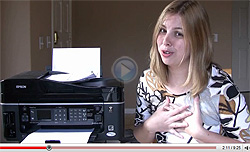
Internet fax review (VIDEO) — how can you
save hundreds of dollars on your fax service?You’re probably in one of three places when it comes to faxing:
- You’re stuck using an old-school fax machine to communicate with others via fax. If you’re in this category, watching the video below and taking action will save you hundreds of dollars per year. Definitely watch it!
- You’re using an online fax service (or Vonage). Watching the video below will help you use your online fax service more effectively and may save you money at the same time–especially if you’re paying more than $10/month. Also, Vonage is terrible for faxes; I have a better solution. Watch the video.
- You never fax anything or receive faxes and never plan to. Unless you’re just curious, skip this video–I’ll have a different blog post later this week that you won’t want to miss!
My Story
I hate land lines and phone companies. The phone company is yet another bill and the price is ridiculous — over $20/month for a land line, plus outrageous charges per minute for calls that aren’t “local”. Forget it. I scrapped my land line for Vonage years ago.
The problem I kept running into was faxing. As a business owner, I still had to deal with companies that wanted things faxed to them–everything from order forms to signup sheets to copies of my bank statements so I could establish credit. It seemed like every week or two, I had to fax something else.
Did I mention that Vonage’s fax service is completely broken and terrible? If you’ve ever tried their fax service, you know what I mean. It can be one of the most frustrating experiences ever. It randomly hangs up, won’t send, or only sends the first page. It wouldn’t even be worth it if it were free, and of course, Vonage charges for it. Any other Voice over IP provider is going to have the same issue–Voice over IP isn’t designed for faxing.
At that time, I had an ancient HP printer with a scanner that only scanned one page at a time, so Internet fax services didn’t seem reasonable to me. “Your last two months of bank statements” total 6-8 pages. No way was I going to sit there and scan one page, go back to the scanner, scan another page…forget it! My time is more valuable than that.
Finally, I happened on a solution that fixed all of those problems…
The Solution
Epson was kind enough to send me an Epson Workforce 600 printer for free as a review copy. I confirmed with them that I wouldn’t necessarily have to post a positive review. After all, I have a problem with inkjet printers. I’m an old, heavy, laser-printer-that-weighs-50-pounds-because-that’s-quality kind of girl. I buy printers at garage sales and keep them for years. (In fact, one of my old home printers was an HP Color Laserjet 4500 that weighed more than I did! Remember those?)
Well, lo and behold, this Epson printer turned out to be pretty awesome. Despite a few flaws (the main one being that the printer is an inkjet!), I use it all the time. In fact, it’s become the only printer in our home office. But the main thing that saved me was the auto document feeder. Yep, insert up to 30 pages and the printer magically sucks them in and spits them out as one computer file that you can then archive or…FAX!
So, in a roundabout way, Epson solved my fax problems. I use my printer, plus RingCentral’s inexpensive fax service, to fax all the time.
How It Works
From reading the comments on my blog, I can tell you really enjoy my videos. This video shows exactly how I use my Epson printer and RingCentral to send a fax. (By the way, RingCentral lets you receive faxes via email too, with your own fax number. Awesome!)
This 9-minute video walks you through every step of sending a fax. You can do this with any printer that has an auto document feeder. If you don’t have a printer that has an auto document feeder, and you’re using an oldschool fax machine and a land line, it’s time to upgrade. The good news is that your savings in the first year alone should pay for your printer, and from then on, you will bank hundreds of dollars in savings. Say “Adios!” to the annoying phone company!
Without further ado, here’s how you can save money on your fax service:
Internet Fax Review: Save Hundreds of Dollars (9 minutes)
Highlights
[0:49] I hold up a stack of at least 10 pages of documents the state of California has recently sent my business. One guess as to what they want…!
[1:50] Here’s how the auto document feeder works…
[3:05] My last printer was THIS big!
[3:29] The printer has wireless! This is a really cool feature. (Note: The Epson Workforce 600 doesn’t support WPA2, but the new Epson Workforce 610 does.)
[4:30] Finally, you can throw all your phone cables away! We cleaned out our closet recently and trashed tons of these. It felt good.
[5:28] I say “Epson Workforce 600” for the sixth time…I had no idea I was doing this until I played back the video and listened to it! Richard watched it and totally laughed at me.
[5:58] I learn how to use “Fade to Black” in my video editing software! I’m such a pro. 😉
[7:08] Actual scanner noise! No fancy effects here…
[7:54] Cool side note: Click that big “Add” button to send the same fax to multiple people. Incredibly useful.
[8:50] You can send as may files as you want. No more waiting to make sure the fax machine doesn’t jam if you need to fax several pages.
Next Steps
You’ll need two things to start saving hundreds of dollars on your fax service:
- A printer with an auto document feeder. You can buy the Epson Workforce 610 (it’s under $200, and may be on sale for even less!), or do your own research. For a general home office or small office printer, I don’t think you can go wrong with the Workforce 610.
- An Internet fax service. I use RingCentral; they have a 30-day free trial, so give them a shot. They are far cheaper than other services such as eFax, so if you’re using a more expensive service, you might consider switching. Their monthly fee includes your own fax number that you can use to receive faxes to your email address as well as send them. (Imagine never having to go into the office again to grab a fax!)
FAQ
Can I port my existing fax number to RingCentral?
Yes; sign up for their free trial and then contact them for porting information.
Can I send faxes overseas?
Yes, you can send faxes anywhere in the U.S. or internationally.
Can I block junk faxes?
Yes. This is another great feature of RingCentral. Wen you receive a junk fax, just block the number and you won’t be bothered again. This is difficult with a traditional fax system.
I use one number for everything…what about receiving calls on my fax number?
Upgrade to RingCentral Online (this is actually what I use, since I have a toll-free number with RingCentral as well) and you can easily receive calls on your RingCentral number as well. I have RingCentral forward all calls to my regular phone so people can call me on my toll-free RingCentral number, for instance.
 Don’t wait — start your free trial of RingCentral today!
Buy the Epson Workforce 610 on Amazon.com.
 Canadians: Start your free trial of RingCentral.ca.
Best of luck saving hundreds of dollars a year on your fax service!
Note: Per my advertising policy, I have not been paid to write this post, and I have personally reviewed and use both the Epson Workforce 600 and RingCentral.